


Analyse your referees’ performances with the Match Report Statistics
May, 19th 2026

Enya KeuterickxJunior Project Manager

3 min readtime
When we say RefAssist is an all-in-one platform, that’s exactly what we mean. Sports federations can not only manage their match officials and competition data, appoint referees and observers to matches and configure match report templates that are triggered upon publication of the appointments, they can also collect that data and turn it into statistics.
How does it work?
Per match report template, administrators can configure for which components they want to generate statistics. This can be set at any point during the season.
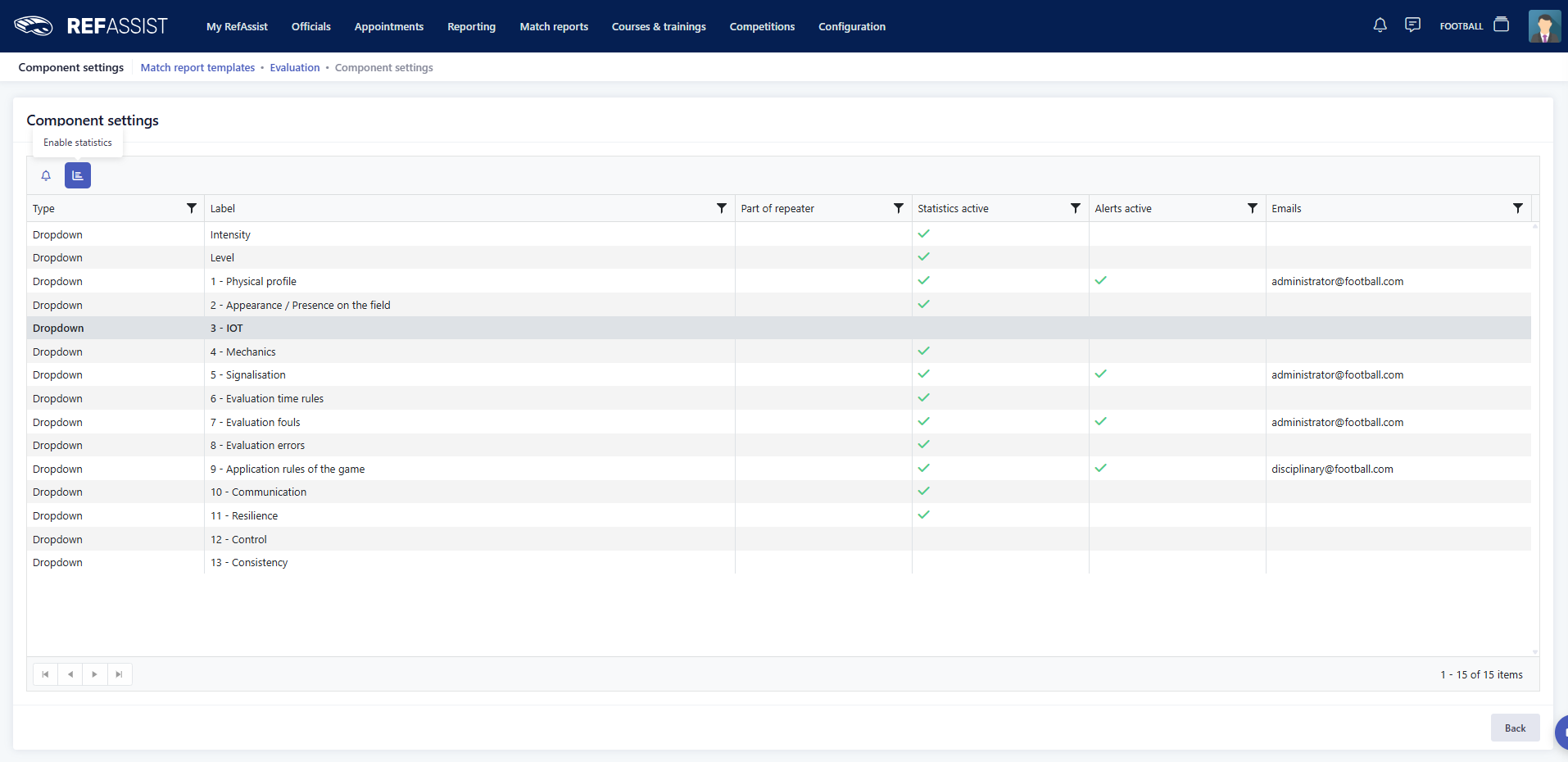
Based on these configurations, the data filled out by the match officials in the reports will be analysed and shown in graphs.
The resulting statistics can then be used in a variety of ways.
Baseline or no baseline?
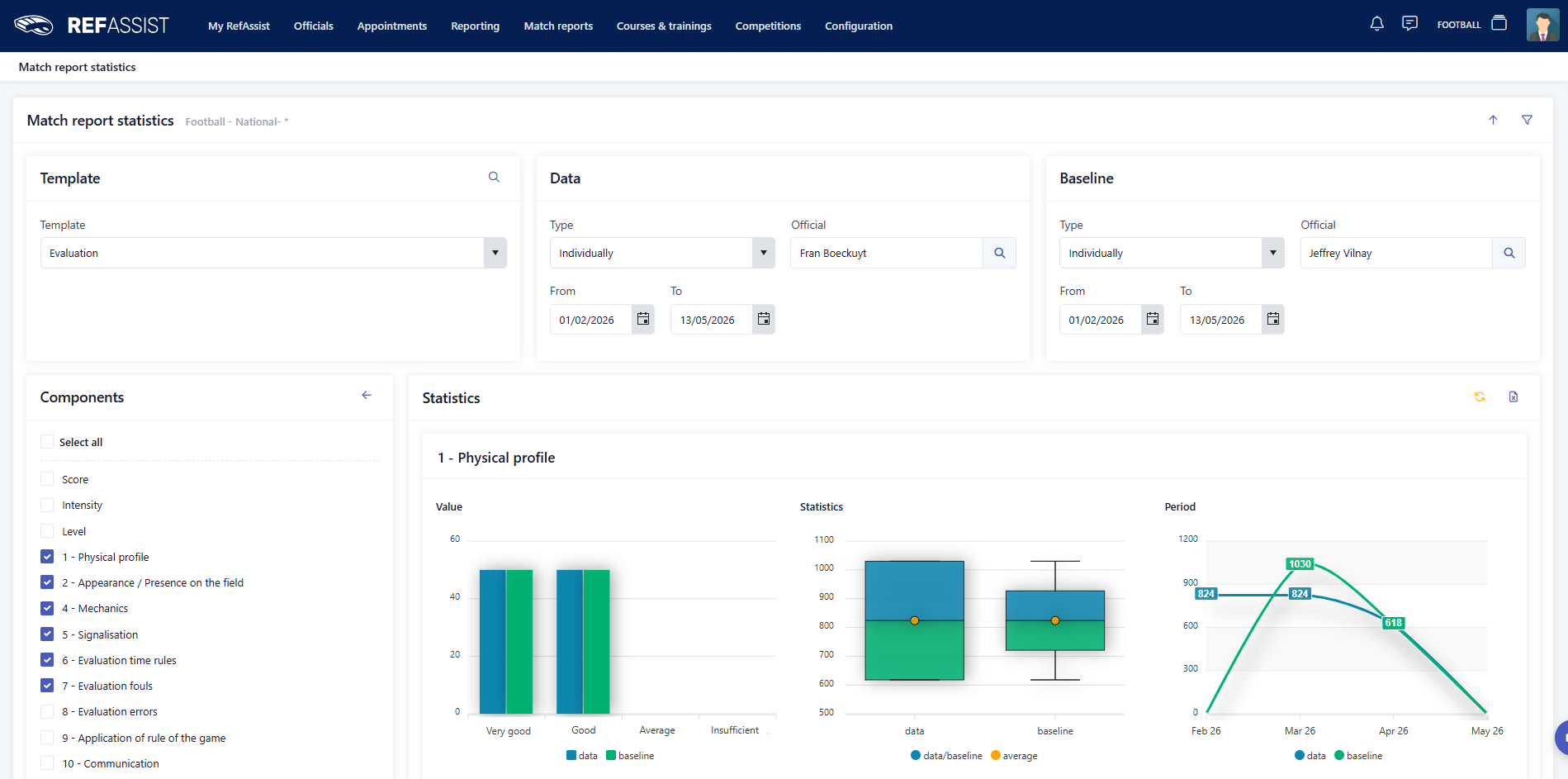
Statistics are generated per match report template for a specific period. You decide if you wish to analyse the performance of all match officials about whom the specific report was submitted, an individual match official or an entire referee category.
It’s also possible to compare the data to a baseline. That way, you could potentially compare an individual match official’s performance over the course of an entire season to the average performance of an entire referee category or another individual.
Our partners currently use this option to decide on which match officials can be promoted to a higher category, or to estimate the average performance so they can organise an additional course moment.
Excel export
The usefulness of this functionality doesn’t end at clear graphs. You can also export these statistics to Excel, allowing you to use the results in internal documentation.
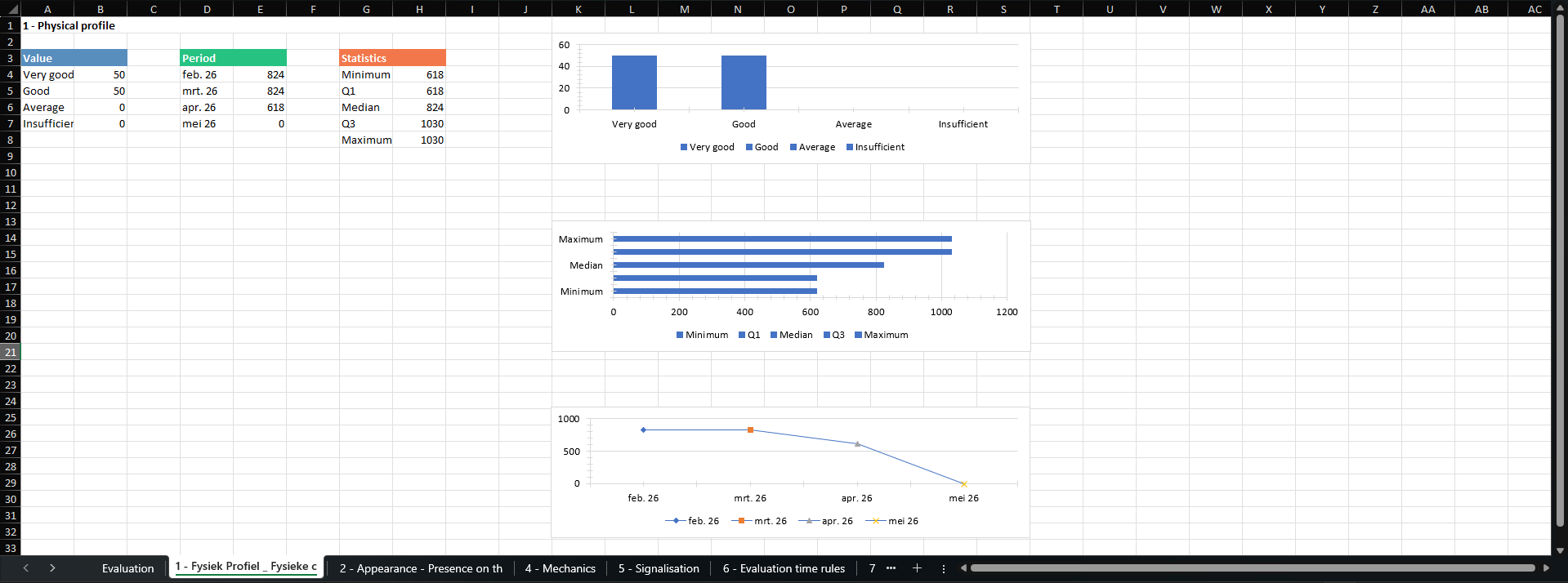
The Excel export contains a tab with an overview of all match officials about whom the report has been submitted.
Per component for which statistics have been generated, a separate tab is included. Three separate graphs give you an overview of all requested data:
Sports federations not only need to collect all data in one platform, they also need to be able to use it. The Match Report Statistics allows them to do just that. Any client I introduce this feature to, is immediately impressed by the functionality and the way it facilitates match officials’ promotions.
– Koen De Smet, Senior Project Manager
Whether you want to evaluate an individual referee’s performance over the course of a season, you want to compare two different referee categories, or you need to decide between two officials who is getting promoted, the Match Report Statistics are here to help. Available by default when your federation uses the Match Reports module, you can start discovering this new feature today.
If you’re interested in learning more about using the report data you collect in RefAssist this way, feel free to reach out to your respective Project Manager. If you would like some more information about starting your RefAssist journey, don’t hesitate to request a demo via the website.


